קל ומהיר יותר להזמין
הלקוח יכול להזמין אצל הקופאי, בקיוסק, בסריקת QR או דרך קישור אונליין. קל לו יותר לבחור מנות, להוסיף תוספות ולראות את הסכום הסופי, בלי לחץ מיותר ליד הקופה.
 לתיאום הדגמה
 TAP2DINE · DAMKA SYSTEMS · ישראל
קופות מתקדמות, קיוסקים והזמנות דרך QR יכולים לקחת על עצמם חלק מהעומס ולעזור להגדיל את המכירות.
Tap2Dine עוזרת לעסקי מזון לקבל הזמנות גם בלי לעבור דרך הקופאי: הלקוח יכול להזמין בקיוסק, בסריקת QR או דרך קישור להזמנה אונליין, והצוות מקבל את ההזמנה כחלק מתהליך עבודה מסודר.
הדגמה בחינם — ללא התחייבות לרכישה.
מתאים למזון מהיר, בתי קפה, פיצריות, מאפיות, קונדיטוריות, עסקי טייק אוויי ורשתות קטנות.
קופה, קיוסק והזמנות אונליין. לעסק שלכם.
ציוד / הגדרה / הדרכה / תמיכה
בעסק מזון לא מספיק לקבל הזמנה. חשוב שהיא תגיע במהירות לצוות, תהיה ברורה למטבח, שהתשלום יטופל נכון ושהיא לא תלך לאיבוד בשעת עומס.
הלקוח יכול להזמין אצל הקופאי, בקיוסק, בסריקת QR או דרך קישור אונליין. קל לו יותר לבחור מנות, להוסיף תוספות ולראות את הסכום הסופי, בלי לחץ מיותר ליד הקופה.
כשחלק מההזמנות מגיעות מהקיוסק או מאונליין, הקופאי לא צריך להקליד כל הזמנה ידנית. לצוות נשאר יותר זמן לתשלום, למסירת ההזמנות ולעזרה ללקוחות.
תוספות, הערות ושינויים מועברים כחלק מההזמנה, כדי שהמטבח יראה מה צריך להכין. פחות בירורים בעל פה, פחות פרטים שנשכחו ופחות ריצות בין הקופה למטבח.
הזמנות ומכירות — בתהליך עבודה אחד. בהדגמה נציג את הדוחות הזמינים בפתרון שנבחר. אפשר להתאים את Tap2Dine לעסק שלכם: להתחיל במה שחשוב ולהוסיף יכולות לפי הצורך והצמיחה.
Tap2Dine עוזרת לחבר את ההזמנה, התשלום, המטבח והמסירה לתהליך עבודה ברור — בלי עומס מיותר על הצוות.
TAP2DINE · DAMKA SYSTEMS
עסק אחד צריך קופה מהירה. אחר — קיוסק כדי להקל על התור. שלישי — הזמנות אונליין, כדי שלא הכול יעבור בשיחות ובהודעות. אפשר להרכיב את Tap2Dine מהפתרונות שהעסק שלכם באמת צריך.
 01
01POS · קופה
הקופה עוזרת לצוות לקבל הזמנות במהירות, לגבות תשלום, לעדכן שינויים ולראות את המכירות במקום אחד. כשהקופה ברורה לעובדים, המשמרת מתנהלת רגוע יותר: פחות בלבול, פחות שאלות מיותרות ויותר שליטה לבעל העסק.
לבתי קפה, פיצריות, מאפיות, מזון מהיר ועסקי טייק אוויי, שבהם חשוב לתת שירות מהיר ולעקוב אחר המכירות.
למידע נוסף על הקופה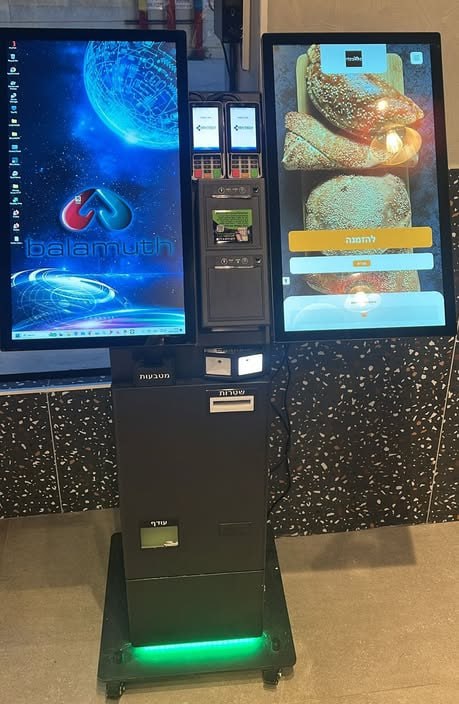 02
02קיוסק להזמנה עצמית
הלקוח בוחר בעצמו מנות, תוספות ואמצעי תשלום על המסך. הקופאי לא מקליד כל הזמנה ידנית, התור מתקדם מהר יותר, והצוות יכול להתפנות למסירה, למטבח וללקוחות שצריכים עזרה.
הקיוסק לא מתעייף ולא שוכח להציע תוספות, משקה או קינוח. כך אפשר לעזור להגדיל את סכום ההזמנה הממוצע, בלי ללחוץ על הלקוח ובלי להעמיס על הקופאי.
למידע נוסף על הקיוסק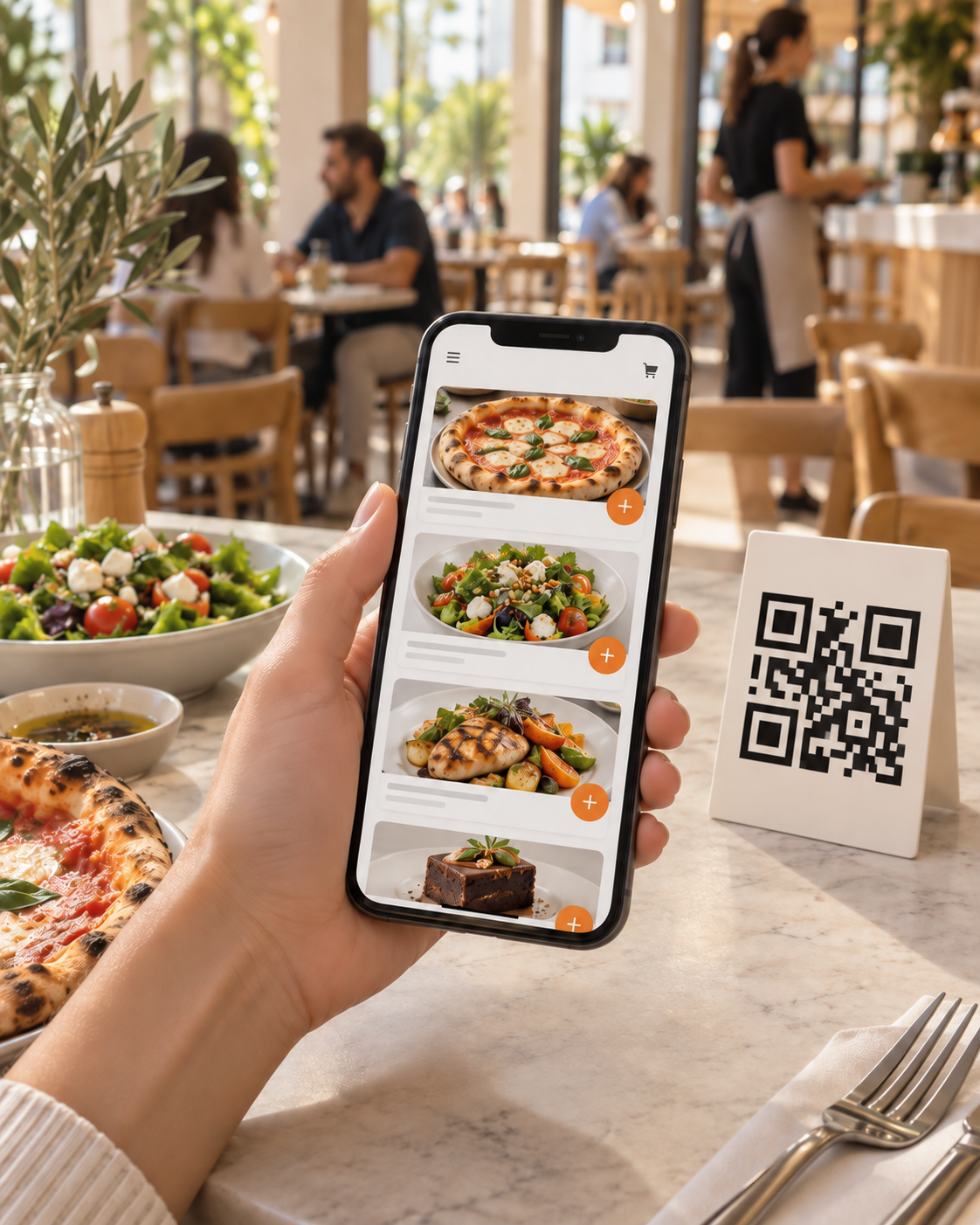 03
03QR / הזמנות אונליין
הלקוח פותח את התפריט דרך QR או קישור, בוחר מנות, מוסיף הערות ושולח הזמנה בלי התכתבות ארוכה. הצוות מקבל הזמנה ברורה ולא מבזבז זמן על העתקת פרטים מהודעות.
לעסקים שמקבלים הזמנות מראש, מציעים אוכל לקחת, מקבלים פניות מהרשתות החברתיות או רוצים לאפשר הזמנה פשוטה מהטלפון.
למידע נוסף על הזמנות אונליין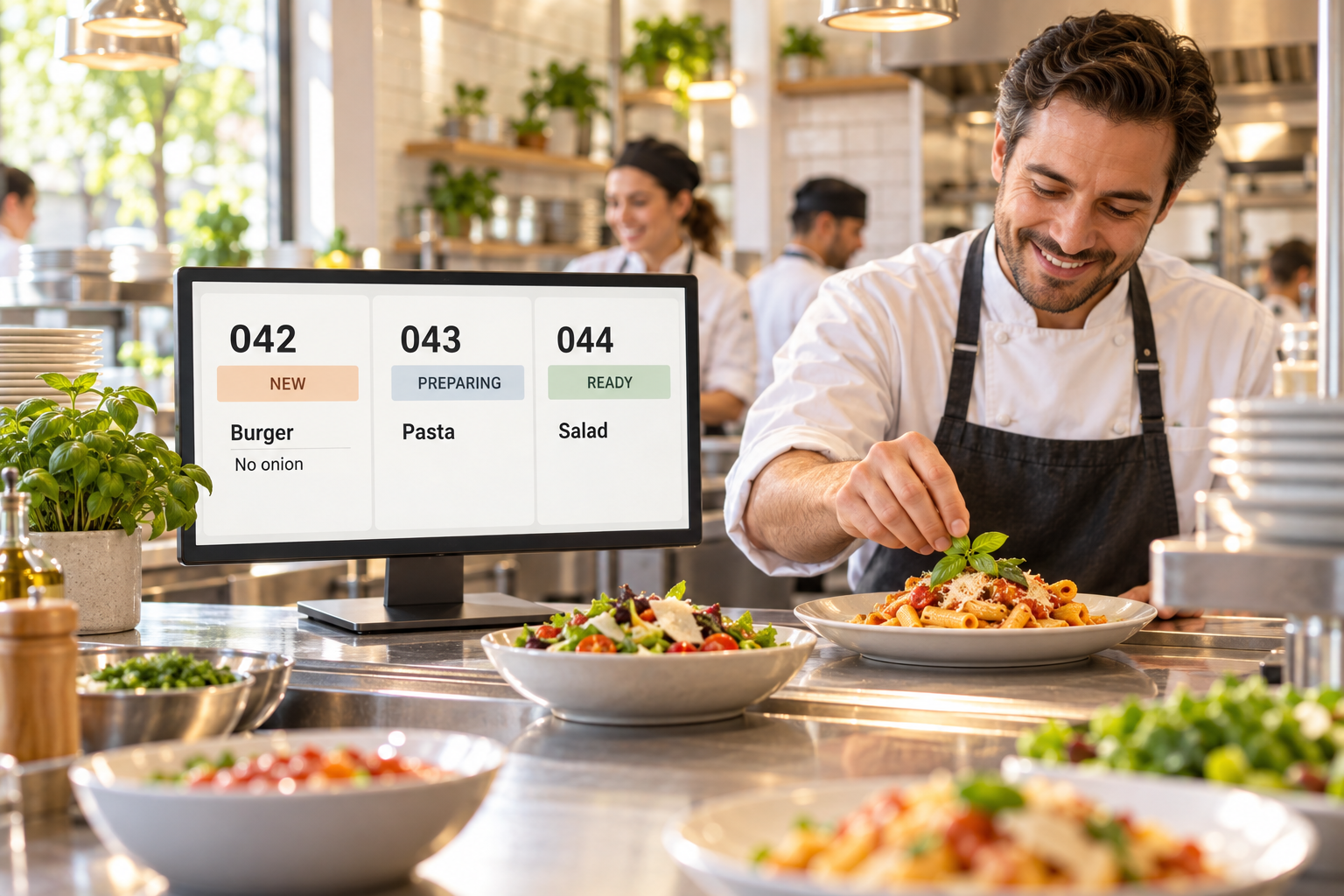 04
04KDS · מסך מטבח
ההזמנה, התוספות וההערות לא צריכות ללכת לאיבוד בין הקופה, הפתקים והבירורים בעל פה. מסך המטבח מציג הזמנות נכנסות ופרטים חשובים, כדי שהצוות יראה מה להכין ולאילו בקשות לשים לב.
למטבחים עם הזמנות רבות, כמה ערוצי הזמנה, שינויים תכופים במנות או בירורים חוזרים בין הקופה למטבח.
למידע נוסף על מסך המטבח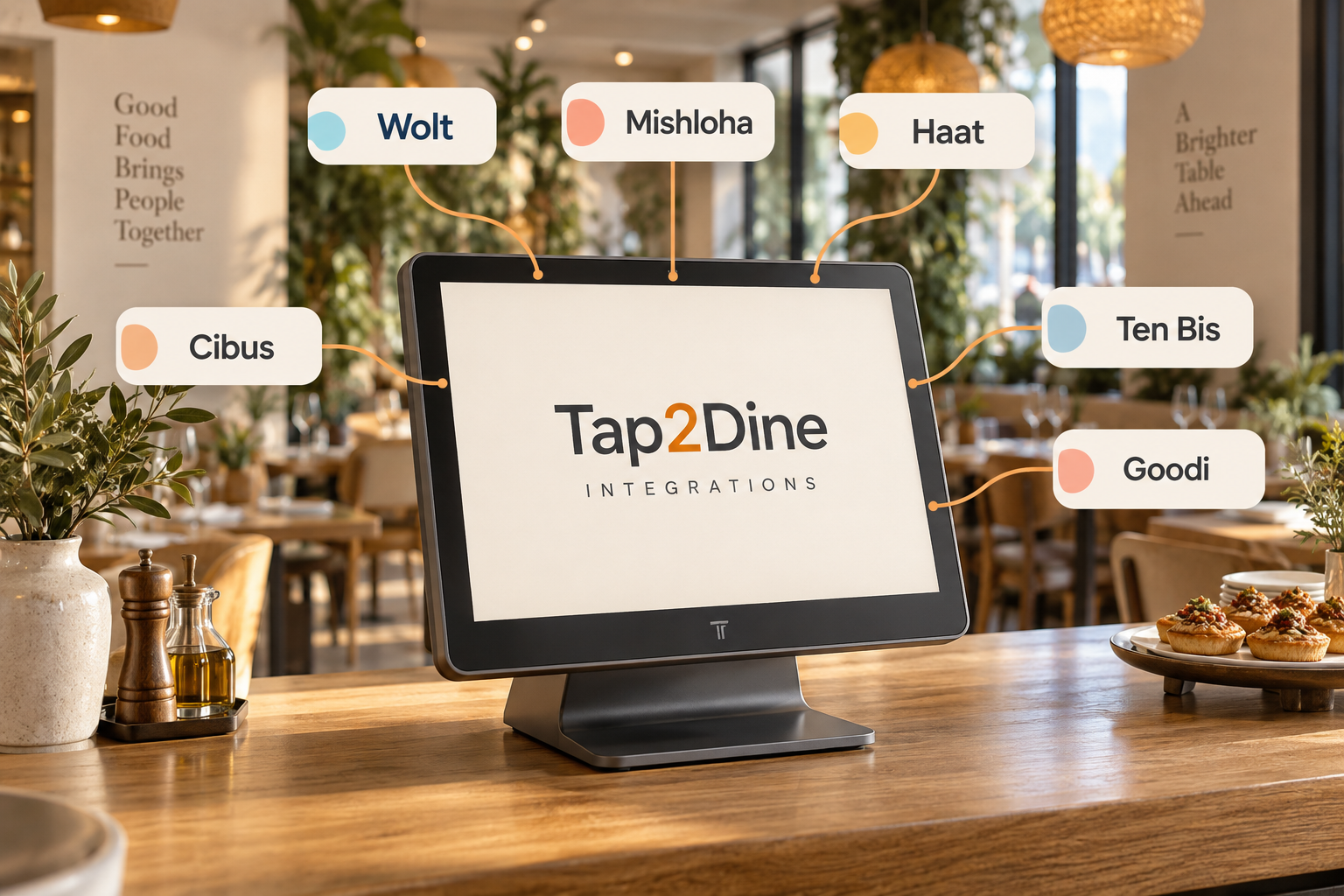 05
05אינטגרציות
חיבור הקופה לשירותי הזמנות ותשלום נתמכים עוזר לצמצם העברה ידנית של נתונים בין מערכות. נבדוק עבור העסק שלכם אילו חיבורים אפשריים ואיזה מידע מועבר בהם.
למידע נוסף על אינטגרציות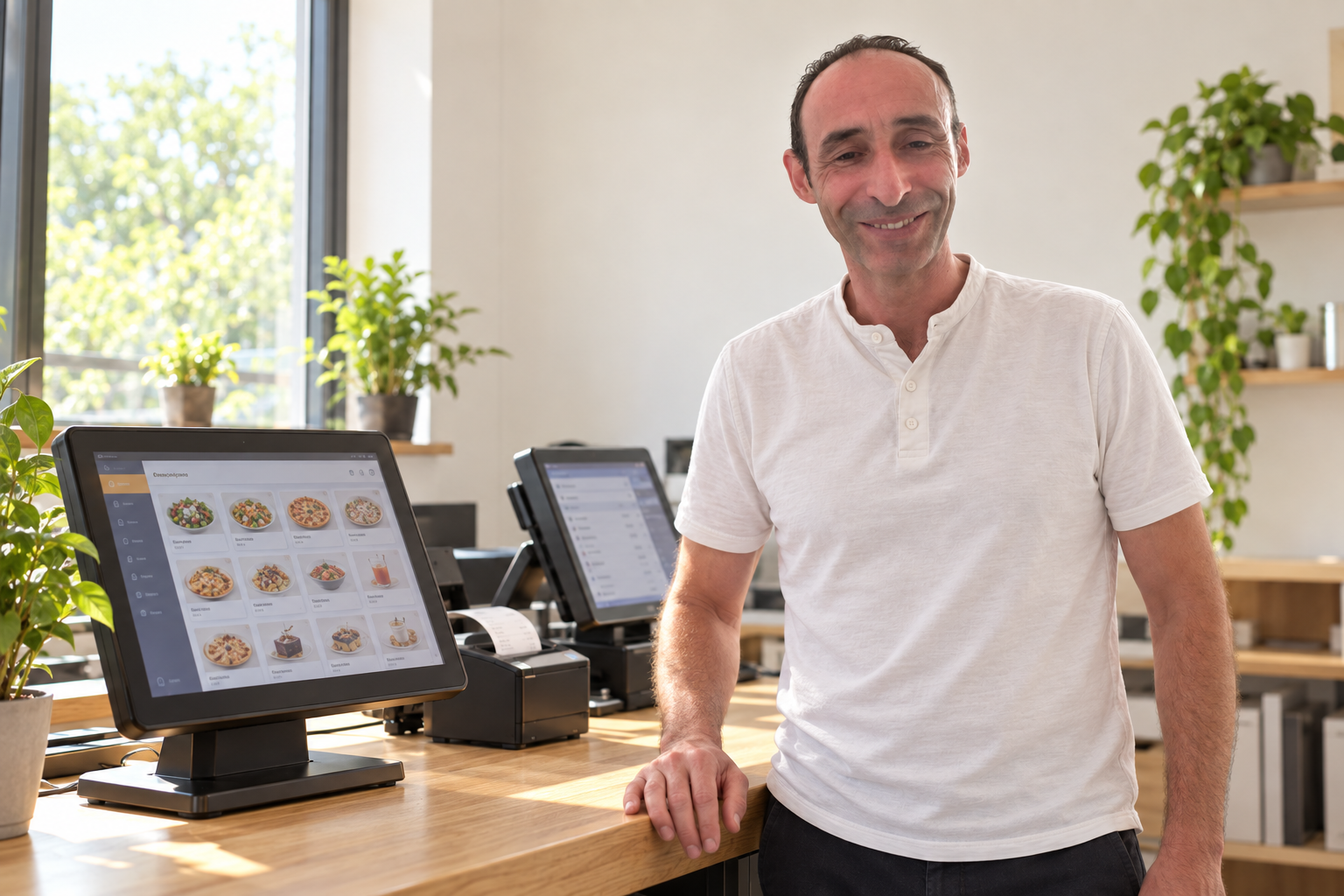 06
06הטמעה ותמיכה
Damka עוזרת לבחור פתרונות, להגדיר תפריט, ציוד ותהליך עבודה, להדריך את הצוות ולבדוק את מסלול ההזמנה לפני ההפעלה. חשוב שהמערכת תעבוד לא רק בהדגמה, אלא גם במשמרת היומיומית שלכם.
למידע נוסף על השירותלא צריך לקחת הכול בבת אחת. אפשר להתחיל בעיקר: קופה, קיוסק, הזמנות אונליין או מסך מטבח — ולהתאים את הפתרון לעומס, לתפריט ולעבודת הצוות שלכם.
ציוד אמיתי. עסקים פעילים.
מהקיוסק ללקוחות ועד לעמדת הקופאי: הציוד צריך להתאים לחלל ולאנשים שמשתמשים בו.
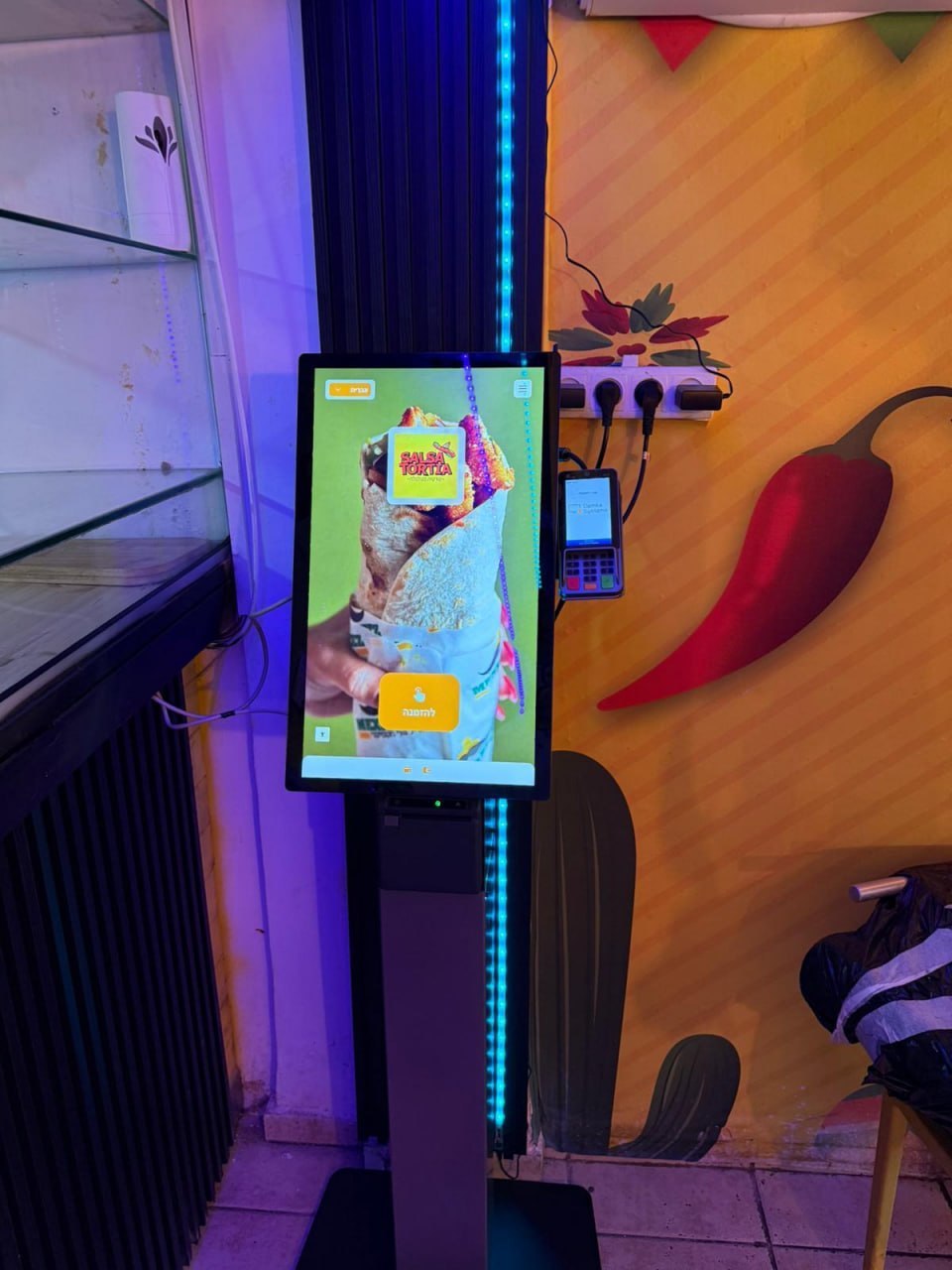
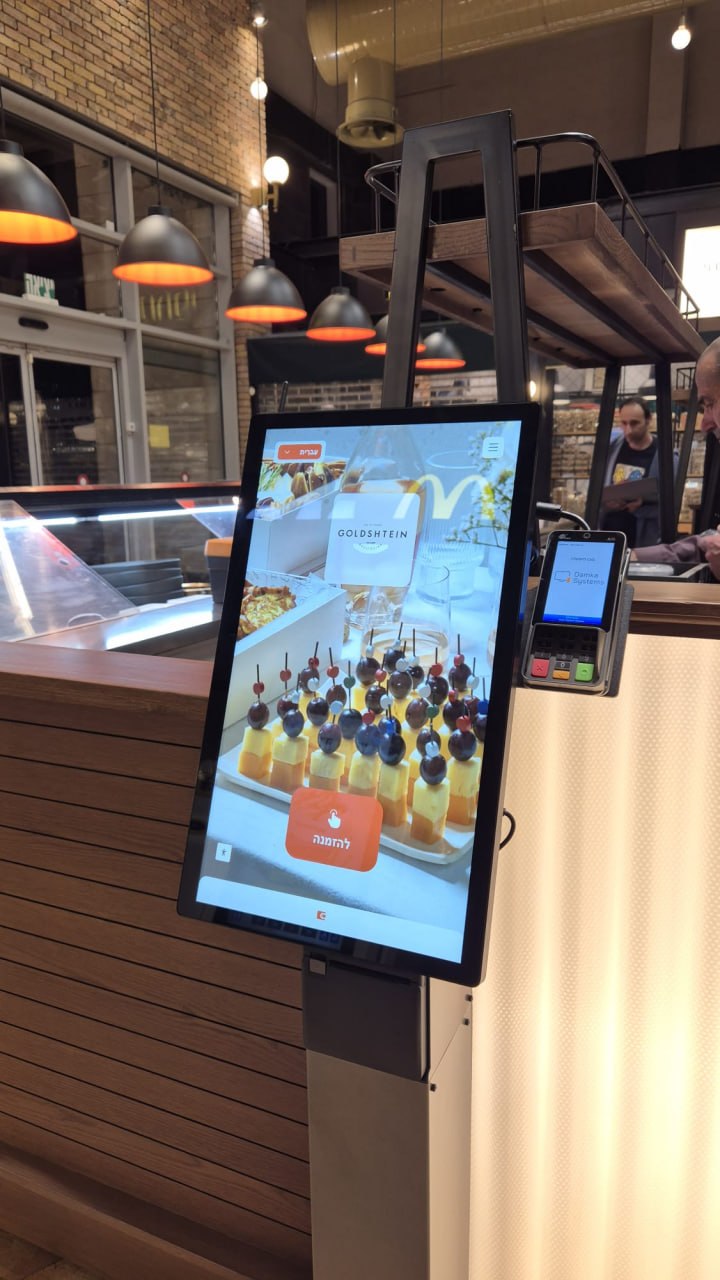
קיוסק להזמנה עצמית בעסק טייק אוויי.
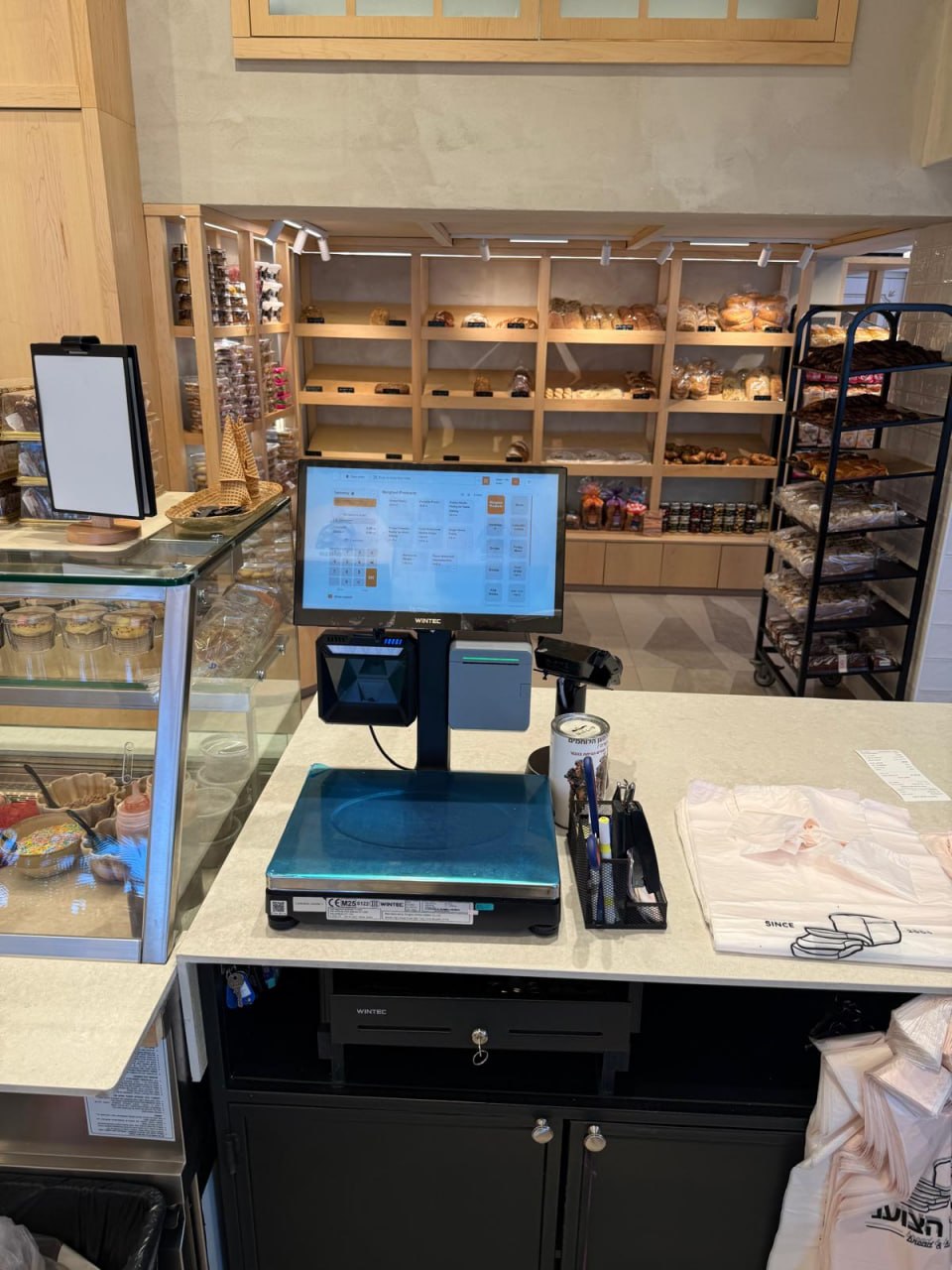
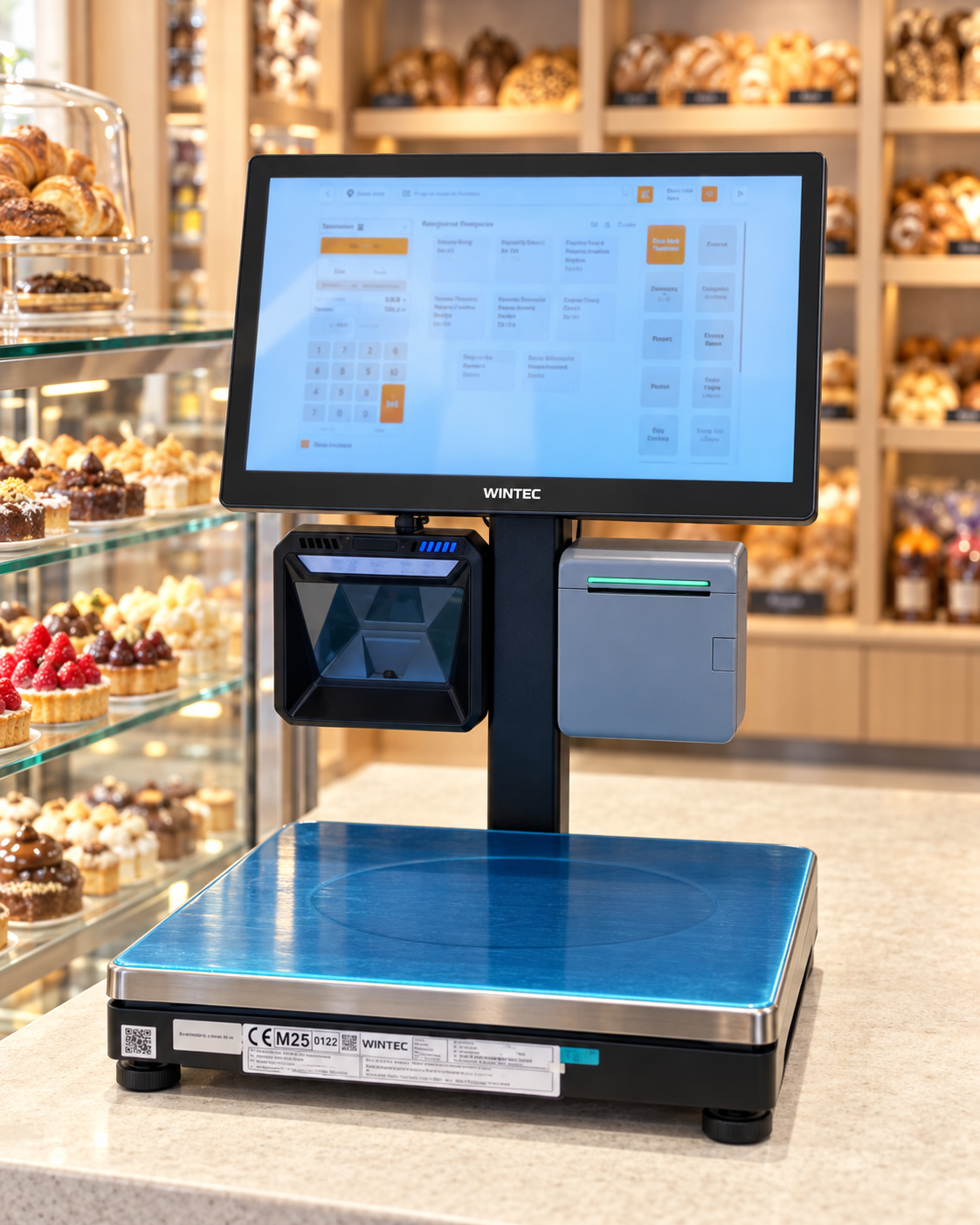
עמדת קופאי במאפייה.
בתמונות מוצגות התקנות נבחרות. הציוד, התוכנות ותהליכי העבודה הנתמכים נקבעים בנפרד לכל פרויקט.
אפשר להשקיע בפרסום, בתפריט ובוויטרינה יפה, ובכל זאת לאבד כסף בתוך המשמרת: כשהלקוח מחכה, הקופה לא עומדת בקצב, פרטי ההזמנה דורשים בירורים והצוות עובד בקצה היכולת.
כשהתור לקופה ארוך, חלק מהלקוחות עוזבים. לקוח שעזב הוא הזמנה שאבדה היום — וסיכון שבפעם הבאה הוא יבחר בעסק אחר.
הקופאי מקבל הזמנות, מסביר את התפריט, עונה על שאלות, מעדכן שינויים, גובה תשלום ועוקב אחרי התור. ככל שהעומס גדל, עולה הסיכון לטעויות, עיכובים ועצבים.
קל לאבד פרטים כשהם נשארים רק בשיחה, בפתק או בהודעה. ככל שההזמנה מגיעה למטבח בצורה ברורה יותר, יש פחות עבודה מיותרת ופחות חוסר שביעות רצון במסירה.
כשההזמנות מגיעות ממקומות שונים, הקופה עמוסה, המטבח מברר פרטים והעובדים שואלים שוב ושוב — בעל העסק שוב מוצא את עצמו בתוך כל הבלגן התפעולי.
כשההזמנה עוברת מהר ובצורה ברורה יותר, העסק יכול לשרת יותר לקוחות בלי לחץ מיותר על הצוות. זו לא הבטחה לצמיחה מיידית, אלא היגיון עסקי: פחות עיכובים במשמרת, יותר הזדמנויות להרוויח.
מספיק לספר איך העסק עובד היום: איפה נוצר תור, איך מתקבלות ההזמנות, מה קורה במטבח ואיפה הצוות מאבד זמן. לפי הפרטים האלה נתאים את הפתרון לעסק שלכם.
נבדוק איך אתם מקבלים הזמנות: בקופה, בטלפון, בהודעות, דרך QR, מהאתר או במקום. חשוב להבין מאיפה ההזמנות מגיעות ואיפה מתחילים העיכובים.
מה נברר:
לא מספיק שהזמנה תופיע במערכת. היא צריכה להיות ברורה לקופאי, למטבח ולעובד שמוסר אותה. לכן נבדוק אילו מנות, תוספות, הערות, אמצעי תשלום ושלבי הכנה חשובים לעסק שלכם.
בעל העסק מבין מראש איפה נדרשת קופה, היכן קיוסק יכול לעזור, מתי מספיקות הזמנות אונליין ומתי כדאי להוסיף מסך מטבח.
לעסק אחד חשוב להתחיל בקופה. לאחר — להוסיף קיוסק בשעות העומס. לשלישי — לעשות סדר בהזמנות אונליין. נתאים את הפתרון לעומס, לתפריט, לצוות ולתקציב שלכם, כדי לעזור לעסק לעבוד מהר ורגוע יותר.
מה אפשר לכלול בפתרון:
לאחר בירור קצר תקבלו הצעה ברורה: אילו פתרונות נחוצים, מה כלול בהקמה, אילו עבודות מתומחרות בנפרד ובמה כדאי להתחיל אם אין צורך להטמיע הכול מיד.
בעל העסק מקבל החלטה מתוך הבנה: מה משנים, למה זה נחוץ ואיך זה אמור לעזור לעסק לעבוד מהר יותר.
עם Tap2Dine לא צריך לבחור לבד בין אפשרויות טכניות לא מוכרות. אנחנו מתרגמים את העבודה בשטח לפתרון ברור: מה להשאיר, מה להוסיף ומה להגדיר קודם.
העלות מורכבת מהפתרונות שנבחרו, הציוד, החיבורים, ההגדרות והשירות. קודם נבין מה העסק שלכם צריך, ואז נכין הצעת מחיר.
קופה, קיוסק, QR או הזמנות אונליין, מסך מטבח — פתרון אחד או שילוב של כמה.
קופה, קיוסק, מסך מטבח, מיקום ההתקנה, העומס, המסך, התשלום ותהליך העבודה של הצוות.
מספר הקופות, הקיוסקים, המסכים, הסניפים והעובדים משפיע על היקף הפתרון.
תפריט, מחירים, תוספות, תמונות, תשלום, העברת ההזמנה למטבח והדרכת הצוות.
היקף התמיכה תלוי במספר ערוצי ההזמנה, פריטי הציוד, עמדות העבודה והסניפים.
לפני שמחליפים קופה, מוסיפים קיוסק או מתחילים לקבל הזמנות אונליין, חשוב לבעל העסק להבין: האם זה מתאים לעסק, כמה זה יעלה והאם המערכת לא תהפוך לעוד כאב ראש לצוות.
לכן לא נציע פתרון בלי להבין את העסק. קודם נבדוק איך אתם עובדים היום, ואז נסביר מה באמת יכול לעזור.
לא. לעיתים עדיף להתחיל בנקודה שבה כרגע יש הכי הרבה הפסדים: הקופה, התור, הזמנות אונליין, המטבח או מסירת ההזמנות.
לעסק אחד מספיק לארגן טוב יותר את העבודה בקופה. לאחר — להוסיף קיוסק בשעות העומס. לשלישי — לעשות סדר בהזמנות מהטלפון.
העיקר הוא לבחור את מה שיועיל לעסק שלכם, בלי להתקין הכול רק כי אפשר.
כן, אם אתם מקבלים הזמנות, מתמודדים עם תור, מציעים טייק אוויי, מפעילים מטבח או מקבלים הזמנות בכמה דרכים.
Tap2Dine מועילה במיוחד כשחשוב לשרת לקוחות במהירות, לשמור על פרטי ההזמנה ולא להשאיר את התהליך כולו על כתפי הקופאי או בעל העסק.
לא. בדיוק בשביל זה נועדה ההדגמה.
אתם מספרים איך העסק עובד, ואנחנו מראים אילו פתרונות יכולים להתאים ולמה. אם אין צורך בקיוסק, לא נתחיל מקיוסק. אם חשוב יותר לעשות קודם סדר בקופה או בהזמנות אונליין — נתחיל שם.
העלות תלויה בצרכים שלכם: אילו פתרונות וציוד נדרשים, כמה הזמנות, עמדות עבודה או סניפים יש לכם, מה צריך להגדיר לפני ההפעלה ואיזו תמיכה תידרש בהמשך.
לכן כדאי להתחיל בהדגמה בחינם. אין תשלום מראש עבור ההדגמה: נכיר את אופן העבודה בעסק, נציג פתרונות מתאימים ונסביר מהו התקציב המשוער.
כך תוכלו להחליט בנחת אם הפתרון מתאים לכם עכשיו, במה כדאי להתחיל והאם העלות מתאימה לתקציב העסק.
המטרה של Tap2Dine היא להפוך את המשמרת לברורה יותר, בלי לסבך אותה.
לכן חשובות לא רק התוכנה והחומרה, אלא גם הגדרת התפריט, אופן העברת ההזמנה, הדרכת הצוות ובדיקת העבודה במשמרת אמיתית. לעובדים צריך להיות קל יותר לקבל, להכין ולמסור הזמנות — בלי להסתבך שלא לצורך.
Tap2Dine לא מבטיחה ניסים ולא מחליפה פרסום, תפריט או ניהול עסקי.
אבל אם אתם מאבדים הזמנות בגלל תור, הקלדה ידנית, בלבול בין הקופה למטבח או עומס על הצוות — המערכת יכולה לעזור לצמצם את הקשיים האלה.
כשללקוח קל יותר להזמין, הקופה עובדת מהר יותר, המטבח רואה את הפרטים והצוות מספיק יותר — לעסק יש יותר אפשרויות לקבל הזמנות ולהגדיל את ההכנסות.
אם אתם מרגישים שהעסק יכול לקבל הזמנות מהר יותר ובצורה רגועה ומסודרת יותר — התחילו בהדגמה קצרה בחינם.
נבחן את הצרכים שלכם, נציג פתרונות אפשריים ונסביר במה כדאי להתחיל, בלי רכישות מיותרות ובלי סיבוכים.
הדגמה בחינם
ספרו איך העסק עובד היום: איפה אתם מקבלים הזמנות, מתי נוצר תור, איך ההזמנה מגיעה למטבח ומה בדרך כלל מעכב את המשמרת.
נבחן את הצרכים ונראה אילו פתרונות יכולים לעזור: קופה, קיוסק, QR או הזמנות אונליין, מסך מטבח, הגדרת תפריט, ציוד ותמיכה לאחר ההפעלה.
לא צריך להבין במערכות מראש. מספיק להראות איך אתם עובדים היום — ואנחנו נסביר במה כדאי להתחיל וכמה זה יעלה.
תור בקופה, הזמנות בהודעות ובטלפון, הקלדה ידנית ובלבול בין הקופה למטבח.
למשל, להוסיף קיוסק, לפשט את העבודה בקופה, לחבר הזמנות אונליין או להפוך את העבודה עם מסך המטבח לברורה יותר.
רק מה שמתאים לעומס, לתפריט, לצוות ולתקציב שלכם.
לאחר בירור קצר יהיה ברור יותר מה כלול בהקמה, איזה ציוד נדרש ובמה כדאי להתחיל.
Tap2Dine עוזרת לעסק לקבל הזמנות מהר יותר, להקל על הקופה, להעביר פרטים בצורה ברורה למטבח ולתת לבעל העסק יותר שליטה במשמרת.
רוצים להבין איפה הולכים לאיבוד זמן, הזמנות וכסף? התחילו בהדגמה קצרה.
דמיטרי, Damka Systems. אעזור לכם לבחור ולהפעיל פתרון Tap2Dine שמתאים לעסק שלכם.
לאחר שליחת הפנייה ניצור איתכם קשר, נברר את הפרטים ונציג פתרונות Tap2Dine שיכולים להתאים לעסק שלכם.
הטופס לא מופיע? פתחו את הטופס בלשונית נפרדת